Gift maker
Create a short name tag for a bag or set of keys, keeping every letter joined to a solid base.
A personal design that can be inspected for legibility and strength before printing.
text to stl examples 3d printingPersonalized 3D design
A keychain needs more than raised letters: it needs a connected body, a ring hole and enough thickness to survive everyday use. Start with a clear design brief, then inspect the resulting model before printing.

A text to stl keychain combines a word or name with a printable tag shape. These examples show how the intended owner changes the design brief.
Create a short name tag for a bag or set of keys, keeping every letter joined to a solid base.
A personal design that can be inspected for legibility and strength before printing.
text to stl examples 3d printingPlan a tag with Arabic lettering and check its connected forms and reading direction in the model.
A brief that calls attention to script handling rather than assuming every font will work.
arabic text to stlTry a curved team name on a tag without letting the lettering crowd the attachment hole.
A clearer choice between curved decoration and a simpler, sturdier layout.
curved text stl generatorMake one prototype and examine the hole, underside and raised text in a slicer.
A chance to catch weak connections before committing to a full batch.
text to stl for 3d printingTurning text into a 3D shape is only part of the job. A usable keychain must hold together and attach to a ring.
Letters alone
Separate letter outlines may create disconnected pieces.
Keychain design
A shared base can connect the full name.
Letters alone
No place to fit a split ring.
Keychain design
A hole or loop is included in the design.
Letters alone
Thin strokes may disappear at print scale.
Keychain design
Letter size and stroke width are judged on the finished tag.
Letters alone
Narrow joins can snap during handling.
Keychain design
The body and hole area can be reinforced.
Letters alone
Individual letters may not sit as one stable part.
Keychain design
A flat base can make placement on the print bed easier.
Letters alone
Recognizable text is not proof of printability.
Keychain design
The exported model still needs a slicer inspection.
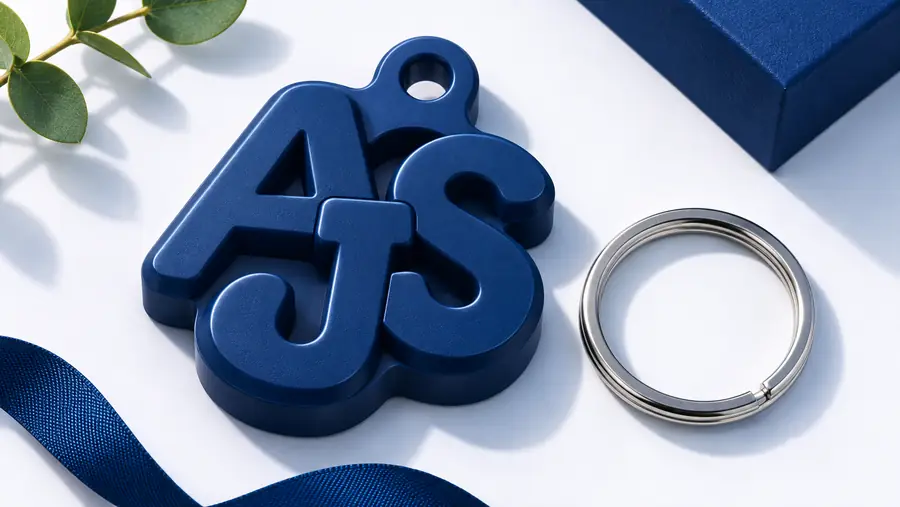
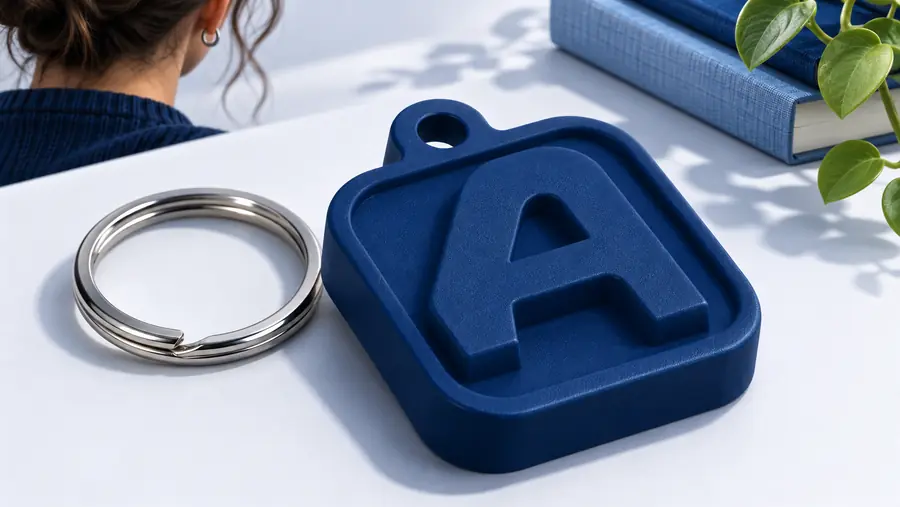
Compare the emphasis on readable lettering with the complete tag concept. The images illustrate design priorities, not a guaranteed conversion result.
When reviewing your own model, look beyond the front view: inspect the attachment area, side profile and underside.
Use these checks whether you are refining a generated concept or preparing geometry in a separate 3D editor.
Name the text, base shape and ring-hole position. Ask for connected letters and leave space between the hole and the nearest character.
Rotate the model to check that the body is continuous, the hole is open and raised strokes are not isolated. Revise weak areas before export.
If your workflow offers STL export, open the file in a slicer. Check its scale, layer preview and first-layer contact before printing a prototype.
A loop can look substantial from above while having a thin wall or weak join.
WorkaroundInspect the side and layer views, then reinforce the area in a 3D editor if needed.
Fine serifs, narrow counters and small gaps may merge or vanish at keychain size.
WorkaroundPrefer bold, open lettering and test one physical print before making copies.
An attractive image does not establish that a watertight, correctly scaled mesh is available.
WorkaroundConfirm the available export options and inspect any exported file in a slicer.
Describe the lettering, base and attachment point together. Texttostl sends your brief to the 3D text tool; review what it produces and verify any print file before relying on it as a finished keychain.
Start with a design that joins the name to a solid body and includes an attachment hole. If your chosen workflow provides STL export, inspect the exported mesh in a slicer for scale, continuity and print-bed contact.
You can design connected lettering, but separate letters will not form one usable keychain. A backing plate or deliberate bridges make the name easier to handle and attach to a ring.
Place it where it does not cut into a letter or leave a narrow strip of material at the edge. Check its clearance in the model and confirm that a split ring will fit after printing.
Fine details can merge when the tag is reduced to its final size or sliced into layers. Try thicker strokes, wider spacing and a prototype print to judge the real result.